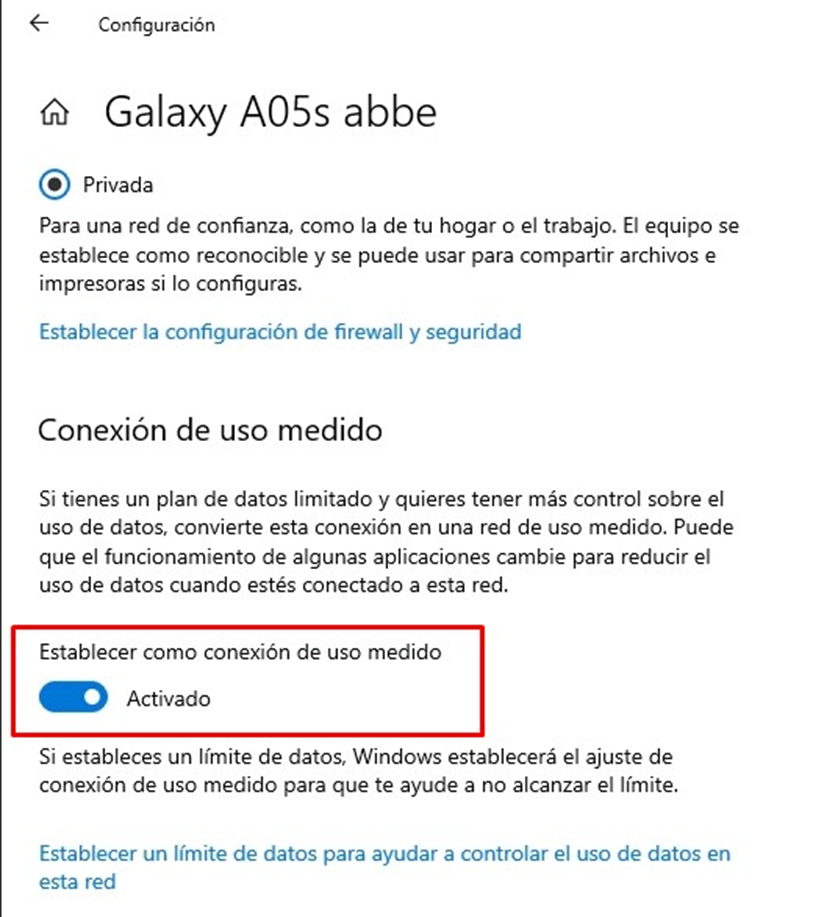
# CONEXIÓN DE USO MEDIDO

### **PASO 1:** Detectar el problema  
[![image.png](https://shalom-documentation.shalomcontrol.com/uploads/images/gallery/2026-01/scaled-1680-/5HFimage.png)](https://shalom-documentation.shalomcontrol.com/uploads/images/gallery/2026-01/5HFimage.png)

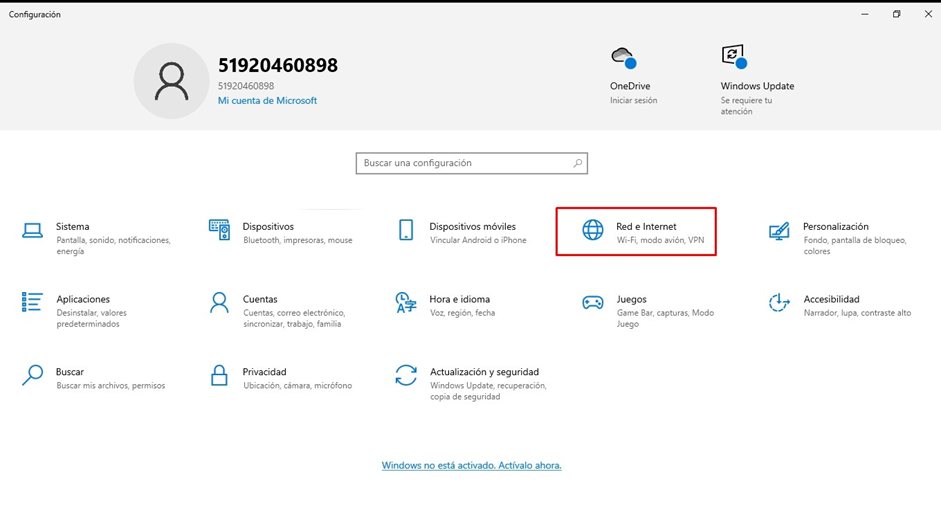
**PASO 2:** Windows +I y Red e Internet[![image.png](https://shalom-documentation.shalomcontrol.com/uploads/images/gallery/2026-01/scaled-1680-/53Zimage.png)](https://shalom-documentation.shalomcontrol.com/uploads/images/gallery/2026-01/53Zimage.png)
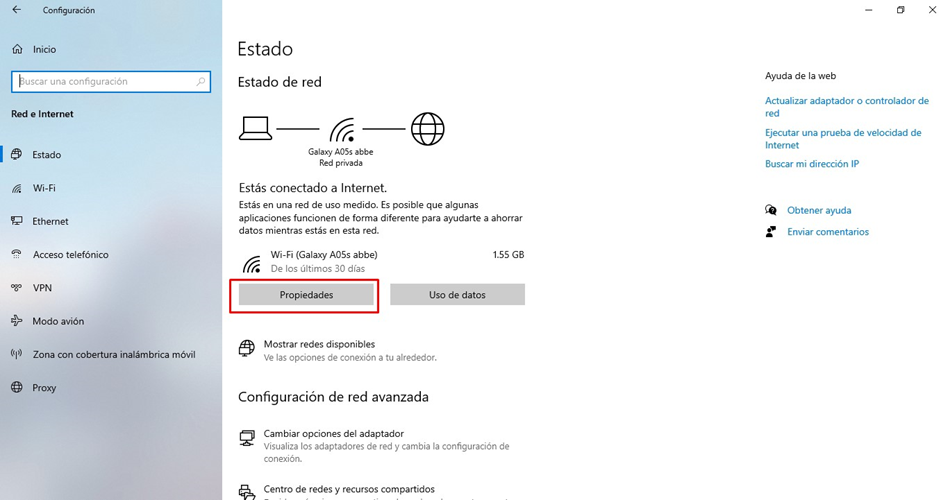
**PASO 3:** Propiedades[![image.png](https://shalom-documentation.shalomcontrol.com/uploads/images/gallery/2026-01/scaled-1680-/Sclimage.png)](https://shalom-documentation.shalomcontrol.com/uploads/images/gallery/2026-01/Sclimage.png)
**<span style="font-size: 12.0pt; mso-bidi-font-size: 11.0pt; line-height: 107%; font-family: 'Times New Roman',serif; mso-fareast-font-family: 'Times New Roman';">PASO 4:</span>**<span style="font-size: 12.0pt; mso-bidi-font-size: 11.0pt; line-height: 107%; font-family: 'Times New Roman',serif; mso-fareast-font-family: 'Times New Roman';"> Desactivar e imprimir y confirmar si imprime con normalidad.</span>

[![image.png](https://shalom-documentation.shalomcontrol.com/uploads/images/gallery/2026-01/scaled-1680-/AMBimage.png)](https://shalom-documentation.shalomcontrol.com/uploads/images/gallery/2026-01/AMBimage.png)